DocCam power, autofocus, zooming, light source
Explore essential features of DocCams, including power management, autofocus capabilities, zoom functions, and optimal lighting solutions.

Written by Nick Williams
Updated at November 5th, 2026
DC1, DC2, DC3, DC5
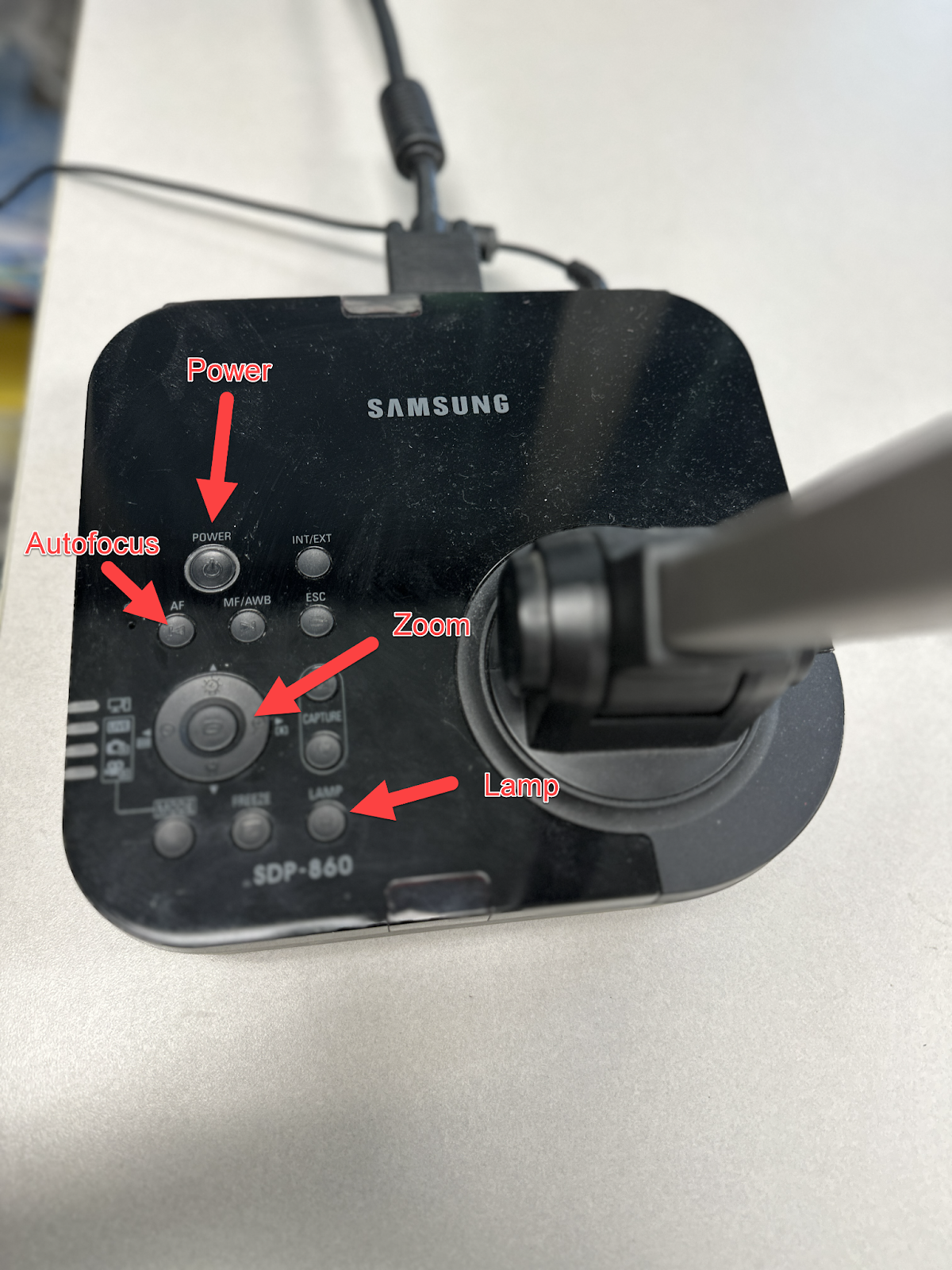
While some doc cams may be different, you should find the Power, Autofocus, Zoom, and light features.
- Autofocus can be used when the image looks Blurry
- Zoom - You can adjust Zoom in and zoom out with the (+/-) signs inside the magnifying glass icon.
- if the Light is low you can turn the in built Lamp On to make the display little more brighter.
- Rotate feature rotates the view of the Doc Cam.

Inputs include VGA and HDMI in models. They will be hooked into your projection or interactive board through a different input than your Laptop.

