Google Takeout

Written by Nick Williams
Updated at October 13th, 2026
Table of Contents
Google Takeout is only available to students
Staff are unable to use Google takeout for security concerns.
Primarily useful for seniors or withdrawing students
Student data is only kept for ~1 year after graduation date, any data not downloaded will be deleted.
- Go to https://takeout.google.com/ and login using your BCSC student email.
- Hit 'Deselect all'
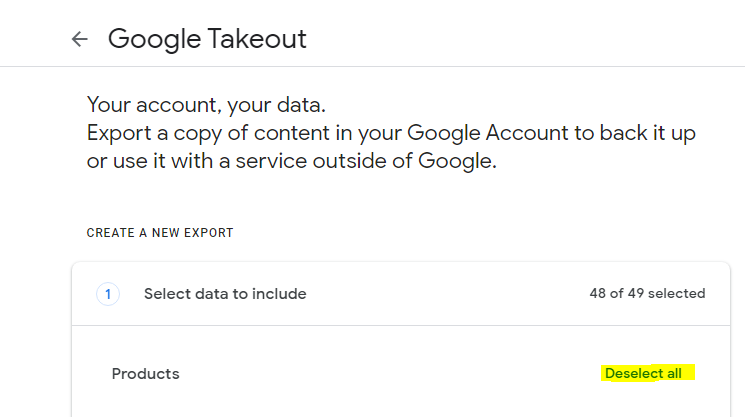
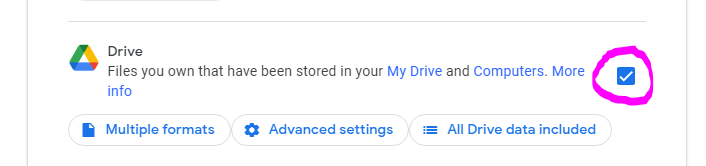
- Use the check boxes to select the products you'd like to download copies of (recommended to only do Google Drive)
- Scroll to the bottom of the page and select 'Next step'

- Configure the export type;
- Recommended configuration;
- Add to Drive
- Export Once
- zip
- 2GB or 50GB if destination device is compatible with zip64 (use 2GB if unsure)
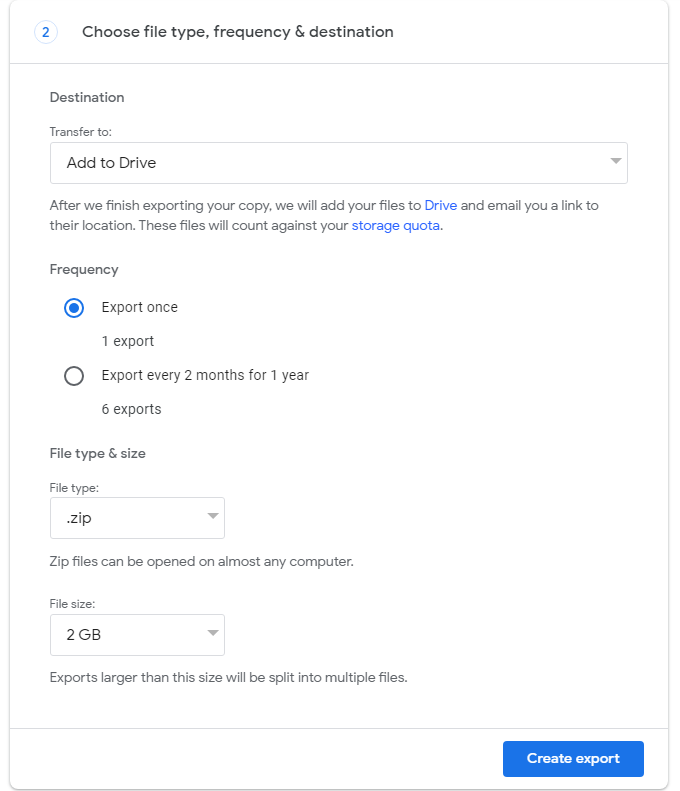
- Recommended configuration;
- Once export is completed you will be able to download your zip file from whichever method was selected. In the above example directly from Google Drive.
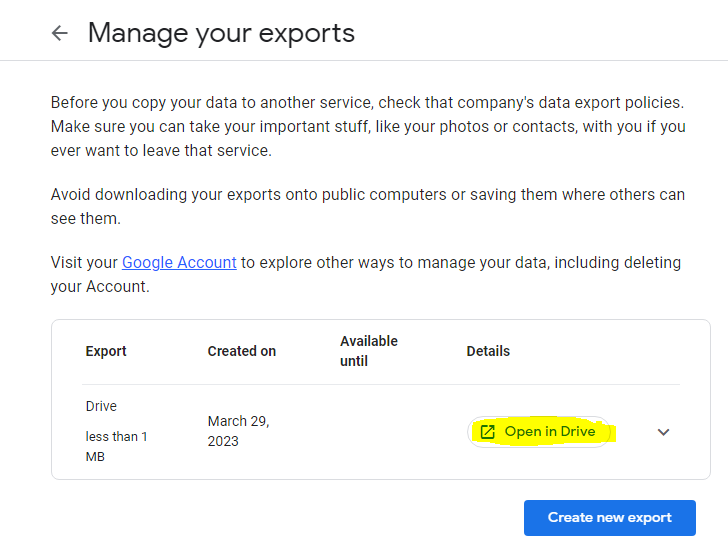

- Move the .zip file onto whatever storage media you are using.
For any additional questions or info please see Google's official support article on Google Takeout.